TL;DR
Understanding how to spot phishing is essential for cybersecurity students. Phishing, smishing, and vishing are common attack methods that rely on deception. Recognizing red flags, verifying sources, and responding correctly can prevent serious security breaches.
Cyberattacks often begin with a simple message. Whether it’s an email, text, or phone call, attackers rely on human error to gain access to sensitive information. This is why learning how to spot phishing is one of the most important skills for anyone entering cybersecurity.
Phishing attacks have evolved beyond basic emails. Today, they include SMS-based scams (smishing) and voice-based attacks (vishing), each designed to appear legitimate and urgent. Understanding the differences and the warning signs can help prevent costly mistakes.
For budding professionals, these attack methods provide real-world examples of how vulnerabilities are exploited.
What’s the Difference Between Phishing, Smishing, and Vishing?
Phishing typically refers to fraudulent emails designed to trick recipients into clicking malicious links or sharing sensitive information. These messages often imitate banks, service providers, or well-known companies.
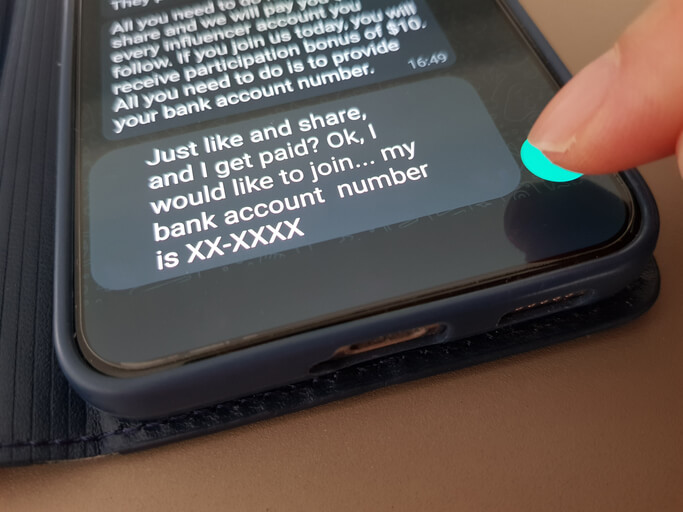
The smishing meaning refers to phishing attempts delivered through SMS messages. These texts may claim urgent issues, such as account problems or delivery updates, encouraging users to click a link or respond quickly.
The vishing meaning involves voice-based scams, where attackers call victims directly. These calls may impersonate technical support, financial institutions, or government agencies to gain trust.
While the delivery method differs, the goal remains the same: to manipulate the target into taking unsafe actions.
How to Spot Phishing: Common Signs of a Phishing Email
What are the most common signs of a phishing email? Recognizing the signs of phishing email attacks is key to prevention. Most phishing messages share certain characteristics, even when they appear convincing.
Some of the most common red flags include:
- Urgent or threatening language that pressures you to act quickly
- Requests for sensitive information, such as passwords or financial details
- Suspicious links or mismatched URLs
- Poor grammar or unusual formatting
- Email addresses that don’t match the organization they claim to represent
These indicators appear across many phishing examples, making them useful for identifying potential threats.
Want to know what a phishing attack is like in practice? Explore our guide on the anatomy of a cybersecurity breach.
Real-World Phishing Examples
Looking at phishing examples helps reinforce what to watch for. A common scenario might involve an email claiming your account has been locked, urging you to click a link to reset your password.
In smishing attacks, you might receive a message about a missed delivery with a link to reschedule. In vishing cases, a caller may claim there’s suspicious activity on your account and request verification details.
Each of these examples relies on urgency and trust, making it easier for attackers to bypass caution.
What to Do If You Click a Suspicious Link
What should you do if you clicked a phishing link or opened an attachment? Even with strong awareness, mistakes can happen. If you interact with a suspicious message, acting quickly is important.
Disconnect from the network if possible, run a security scan, and change any potentially compromised passwords. It’s also important to report the incident to your organization or service provider. Understanding these response steps is part of developing practical skills.
How AI Is Changing Phishing Attacks
How is AI making phishing harder to detect, and how can you stay safe? Artificial intelligence is making phishing attacks more sophisticated. Messages are becoming more personalized, grammatically correct, and harder to distinguish from legitimate communication.
This shift means that traditional warning signs may not always be obvious. As a result, cybersecurity professionals must rely on a combination of awareness, verification practices, and technical tools.
Staying cautious, verifying sources, and avoiding impulsive actions remain some of the most effective defenses.
How do professionals protect infrastructure against threats? Explore our guide on What does a SOC analyst do?

Why Phishing Awareness Matters for Cybersecurity Students
Learning how to spot phishing is not just about avoiding scams; it’s also about understanding how attacks begin. Many breaches originate from a single compromised account or user action.
For students pursuing cybersecurity, this knowledge forms the foundation for more advanced topics, including threat detection, incident response, and system defense.
Developing this awareness early supports long-term success in the field.
Are you looking for comprehensive cybersecurity courses?
Contact Cumberland College for more information.
Key Takeaways
- Knowing how to spot phishing is essential for preventing cyberattacks
- Phishing, smishing, and vishing use different methods but share the same goal
- Recognizing the signs of phishing email attacks helps reduce risk
- Real-world phishing examples highlight common tactics used by attackers
- Awareness and quick response are critical for minimizing damage
FAQ
What are the most common signs of a phishing email?
Urgent language, suspicious links, requests for sensitive information, and unusual formatting are common signs.
What’s the difference between phishing, smishing, and vishing?
Phishing uses email, smishing uses SMS, and vishing uses phone calls to deceive targets.
What should you do if you clicked a phishing link or opened an attachment?
Disconnect, scan your device, change passwords, and report the incident.
How is AI making phishing harder to detect, and how can you stay safe?
AI creates more convincing messages, making awareness and verification even more important.